
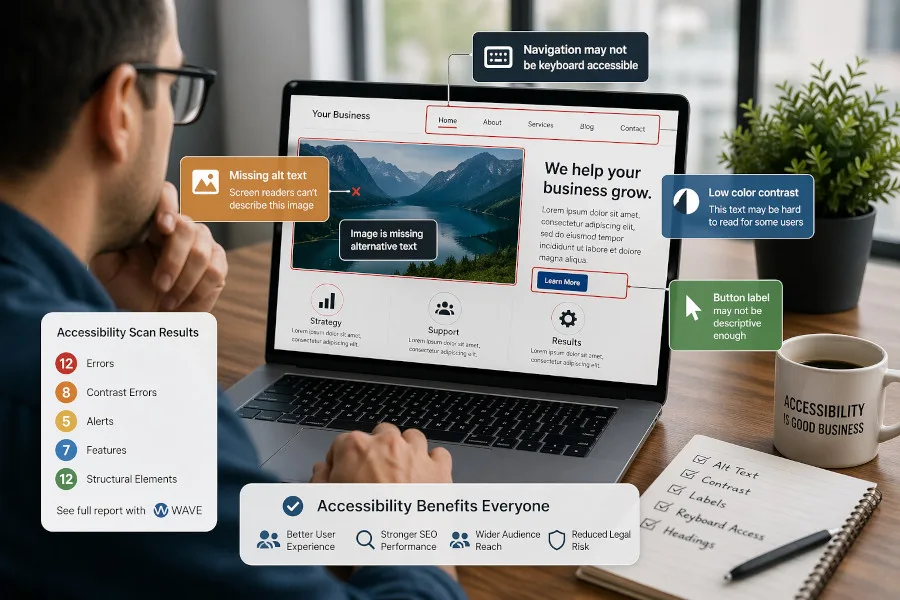
Imagine someone visits your website ready to become a customer. They want to book an appointment, read your menu, buy a product, fill out a form, or contact your team. But the page will not work with their screen reader. The menu is just an image. The form fields are not labeled. The contrast makes the text difficult to read. After a few minutes, they leave. This is where website accessibility stops being a technical concept and becomes a real business issue, and so I have developed a quick WAVE accessibility tool that can quickly reveal what your website’s score is! Read on.
In the first episode of Anchor Point, I spoke with Reynaldo Villarreal from the Valley Center for the Blind and Aisha O. Otori from Coleman & Horowitt about website accessibility, legal risk, and what business owners should be paying attention to now.
The Deadline Moved, But the Issue Did Not
The Department of Justice recently delayed Title II website accessibility compliance deadlines by one year. That gives public entities more time to prepare, but it does not make accessibility less important.
If anything, it gives businesses and organizations more breathing room to understand what accessibility really means before the pressure increases.
Aisha O. Otori put the legal risk plainly: “Small businesses are the focus of most of these ADA lawsuits.”
That matters because even though Title II applies to state and local governments, accessibility standards are influencing broader expectations. Businesses should not assume this is only a government issue.
As Otori explained, “Businesses should look at WCAG 2.1 Level AA to see what they’re supposed to be doing.”
What Accessibility Means in Real Life
Reynaldo Villarreal explained the issue in practical terms. When a website is not accessible, the result is simple: people leave.
“What it means, at the core of it, is that I’m not able to do business with that website,” Villarreal said.
That is the part business owners need to hear. Accessibility is not only about compliance language. It is about whether people can actually use your website.
Villarreal gave examples that many businesses should recognize immediately: online menus, booking systems, shopping pages, school forms, insurance websites, and other everyday digital tasks.
When those systems do not work, users may not complain. They may not call. They may not explain what happened.
“A lot of times I just leave,” Villarreal said.
That should get every business owner’s attention.
What Is WCAG 2.1 AA?
WCAG stands for Web Content Accessibility Guidelines. WCAG 2.1 Level AA is a technical standard used to evaluate whether websites and digital content are accessible to people with disabilities.
In practical terms, it includes things like:
- Meaningful alternative text for images
- Proper color contrast
- Keyboard-friendly navigation
- Clear headings and page structure
- Labeled form fields
- Accessible PDFs and documents
- Captions or transcripts for media
- Links that clearly describe where they go
These standards help people who use screen readers, keyboard navigation, screen magnifiers, color inversion tools, and other assistive technology.
They also tend to improve the website for everyone. A cleaner structure helps users. Better headings help search engines. Clearer forms reduce friction. Accessibility overlaps with usability, SEO, and professionalism.
Start With a Basic Accessibility Check
You do not have to begin with a full rebuild. Start with a basic test that I’ve built for the first 100 or so people who find it on this page.
This is just a quick and dirty checker from a reputable source, WebAIM’s WAVE accessibility tool, but you can drop your domain name in it and I’ve come up with a ranking system to help you get a sense of where your site stacks up!
[a11y_quickcheck]
A scan is not the same as a full human review, but it gives you a starting point. It helps you see whether your site has obvious barriers that should be fixed.
More Time Is Not a Reason to Wait
The delay in enforcement deadlines should not be treated as permission to ignore accessibility. It is an opportunity to prepare. As expectations continue to rise around ADA accessibility standards, businesses that take action now will be in a stronger position later. Accessibility is not just about avoiding risk. It is about improving usability and staying competitive in an environment where accessibility for small business is becoming part of the baseline. For business owners already working to improve their websites, resources like our website video tutorials can help build a stronger foundation. Anchored Web Solutions helps organizations evaluate and improve their digital presence with a focus on long-term performance and ADA website compliance. Visit Anchored Web Solutions to learn more.